
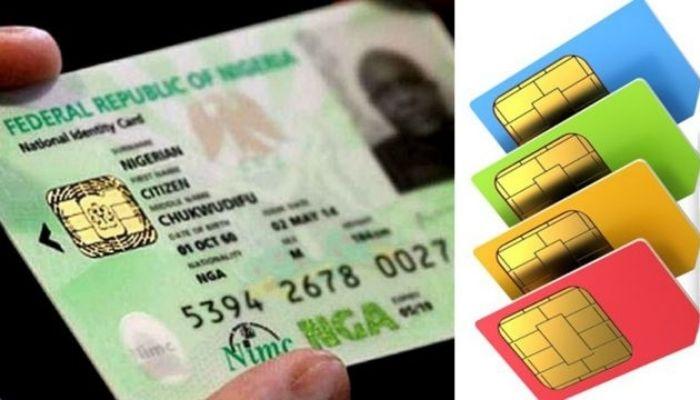
The Nigerian Communications Commission has ordered the reactivation of barred lines after telecommunication subscribers blocked numerous lines that are not linked with a National Identification Number (NIN) over the weekend.
In a statement on Monday, the regulator noted that even though subscribers were barred because they had not verified their NINs with their SIMs, it has now directed operators to reactivate all lines that were disconnected over the weekend.
“Reactivated consumers are to note that this is for a limited period to allow them to properly link their NIN to their SIM,” the commission said.
According to the NCC, it reviewed an April 15, 2024, deadline to July 31, 2024, deadline to give subscribers time to link their SIMs and NINs. It, however, noted that despite these extensions, many phone lines are yet to be linked with verified NINs.
The NCC did not clarify if this new grace period will extend beyond its July 31, 2024, initial deadline.
How to unblock your line
Nigerians have stormed telecommunication stores nationwide after telcos began barring lines not linked with a National Identification Number (NIN) over the weekend.
This is in compliance with the Nigerian Communications Commission’s July 31, 2024, deadline for SIM-NIN linkage.
According to the Association of Licensed Telecommunication Operators of Nigeria (ALTON), the umbrella body for all telcos, customers who have had their lines blocked are those with a mismatch between their records on both databases (i.e., SIM and NIN).
“We advise such customers to contact their service providers through communicated channels for resolution of the issue,” it said in a statement released on Monday.
It noted that all operators have put measures in place to ensure that anyone whose line is blocked can unblock it by following some easy steps:
1. Airtel: Dial *121# and input your eleven-digit NIN number. The subscriber will receive a confirmation message they have successfully unbarred their Airtel SIM card.
2. EMTS: 9Mobile: Dial *200*8#
3. Glo: Dial *109*Your NIN number#. For example, if your NIN is 12345678901, you would dial *109*12345678901#. Then follow the prompts to submit your NIN for linkage.
4. MTN: If an MTN line is barred, all the subscriber needs to do is visit nin.mtn.ng to check the NIN status, and if not linked, proceed to link it. During the process, an OTP would be requested, as well as the NIN. After giving consent and submitting the NIN linking request, it will be done, and the line will be automatically unbarred.
5. Smile: Send your valid NIN to [email protected] or call 07020444444. You will be asked to provide consent. Upon receipt of customer consent and successful verification of NIN, the line will be unbarred.
6. Spectranet: Call the toll-free line 8002345678 and submit your NIN, but you will have to do your KYC at the Spectranet Store. Customers can send an email to [email protected] and submit their NIN, but they will have to do their KYC at the Spectranet Store. Customers can go to the Spectranet website and submit their NIN online, but to complete the process, they will have to do KYC at the Spectranet Store.
7. Ntel: The customer should visit any Ntel store with their NIN. Their fingerprint is used to call up their existing KYC profile with Ntel for verification. Consent is received, and the line is updated and unbarred.
ALTON highlighted that if these online steps fail, subscribers should physically visit any walk-in centers of operators to unblock their lines.
Source: Businessday
 ..all about information services
Leave a Reply